A new StoryMint site: find the right book format faster
Coloring books up front, a separate app for making books, a Spanish site of its own, and this blog. A short tour of what changed and where things are now.
StoryMint looks different today. We rebuilt the website around one question we kept hearing: "which kind of book should I make?". Here's a short tour of what changed and where to find things now.
Coloring books, up front
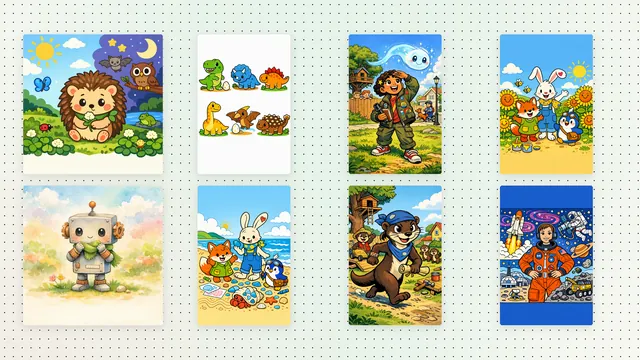
Coloring books now have their own page and the first spot in the menu. The coloring books page shows real pages from books the StoryMint team made, explains the three line styles, and lets you start a coloring book from a theme in one step.
A clearer menu
The top of every page now has the same short menu:
- Coloring books, the newest format.
- Create, to jump straight into a coloring book, a picture book, a comic or a beta novel.
- Solutions, with pages for families, teachers, authors and schools.
- Resources, where you'll find this blog, the library, examples, guides and help.
- Pricing, with every plan and credit in one place.
A separate app for making books
The website at storymint.ca is where you read about StoryMint. When you sign in or start a book, you move to the app at app.storymint.ca, which is built for making books: a sidebar with your books, a place to start a new one, and your account. Your account and your books are the same as before. We wrote about the app in A new workspace for making books.
A Spanish site of its own
StoryMint in Spanish now lives at es.storymint.ca, with its own app, its own account and its own library. It's written in neutral Latin American Spanish, and books made there are written in Spanish, not translated from English. We wrote about it in StoryMint in Spanish.
And a blog
You're reading it. The StoryMint Blog is where we post about new features, how to use them, and ideas for making books with kids. Each new post is submitted to search engines when it goes live, and there's an RSS feed if you'd like to follow along.
Tell us what you think
If something is hard to find, or a link takes you somewhere unexpected, let us know on the Support page. A new site always has a few rough edges, and your reports help us smooth them out.